
Essential cookies required: We use reCAPTCHA cookies to protect our forms from abuse and prevent automated attacks.Without these cookies, form submission will be disabled for security reasons.Learn more in our Privacy Policy
Shopify App Configuration
Configure your StoreScore app settings including help desk email and badge component options.
Store Score Settings Configuration
On the configuration tab of StoreScore, you will find various settings that allow you to configure key features of the tool.
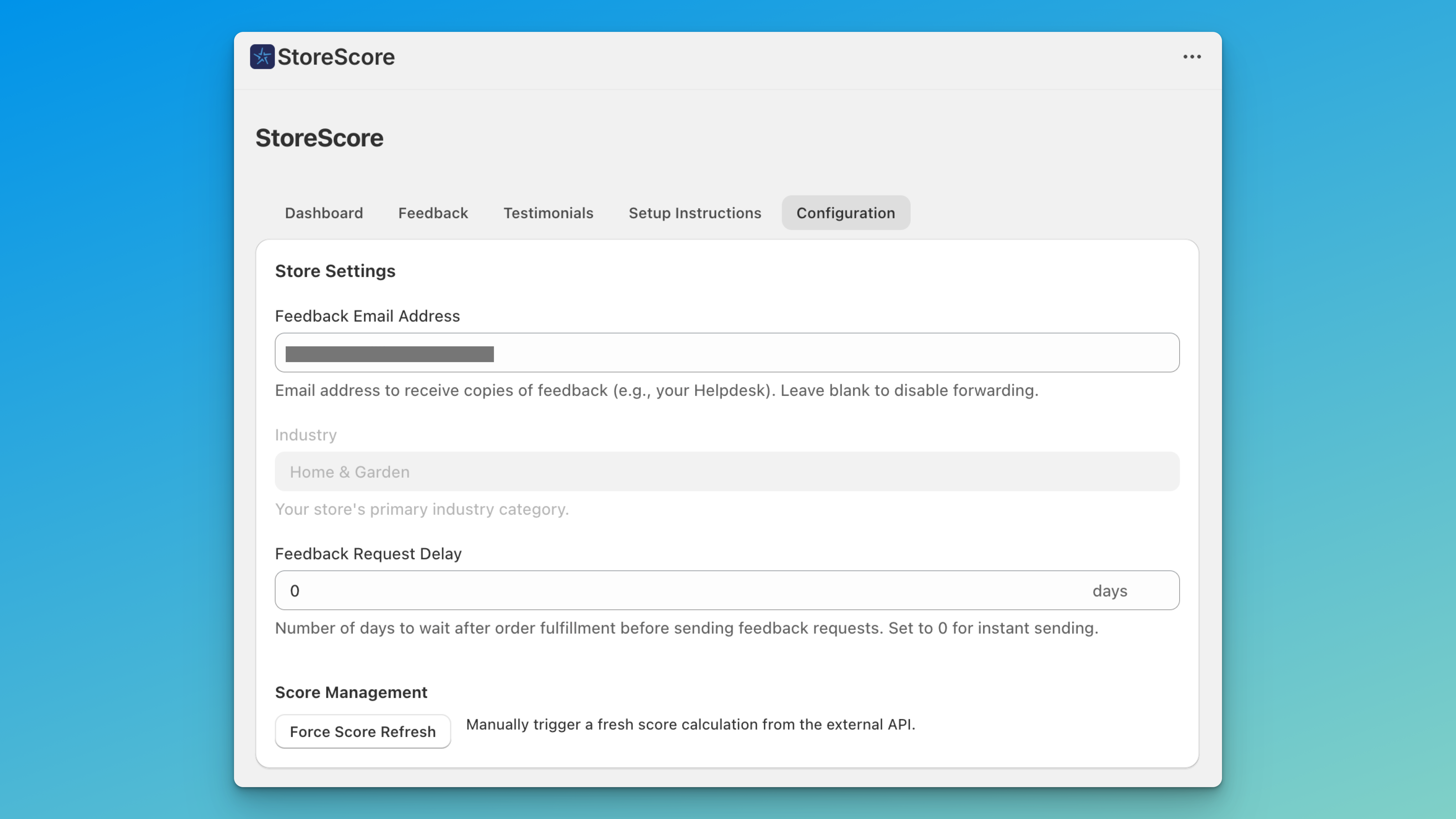
Feedback Email Address
If you want feedback from your customers sent to a specific email address, for example your help desk, you can provide an email address in the feedback email address field. Now, each time a customer leaves feedback, a copy will be sent to this address. Remember, you can't reply to these emails, but you can use them as part of your customer service workflow if you use external tools such as Zendesk.
Feedback Request Delay
The feedback request delay is the amount of time from when an order is completely fulfilled to the time at which StoreScore sends the email to confirm if a user is happy with their experience. If you have a store that sells purely digital goods, you might want to set this to zero for an instant send.
The default value is 7 days, as this covers most types of normal physical shipping. However, if you have an international distribution where times could be say 15 days, use this field to set that value.
Score Management
When working with StoreScore in the StoreAdmin, it may be that you leave a session open for quite a while. If you want to force a refresh of the score calculation, simply press the Force Score Refresh button, and a few seconds later the score will be refreshed. Normally this won't be necessary.